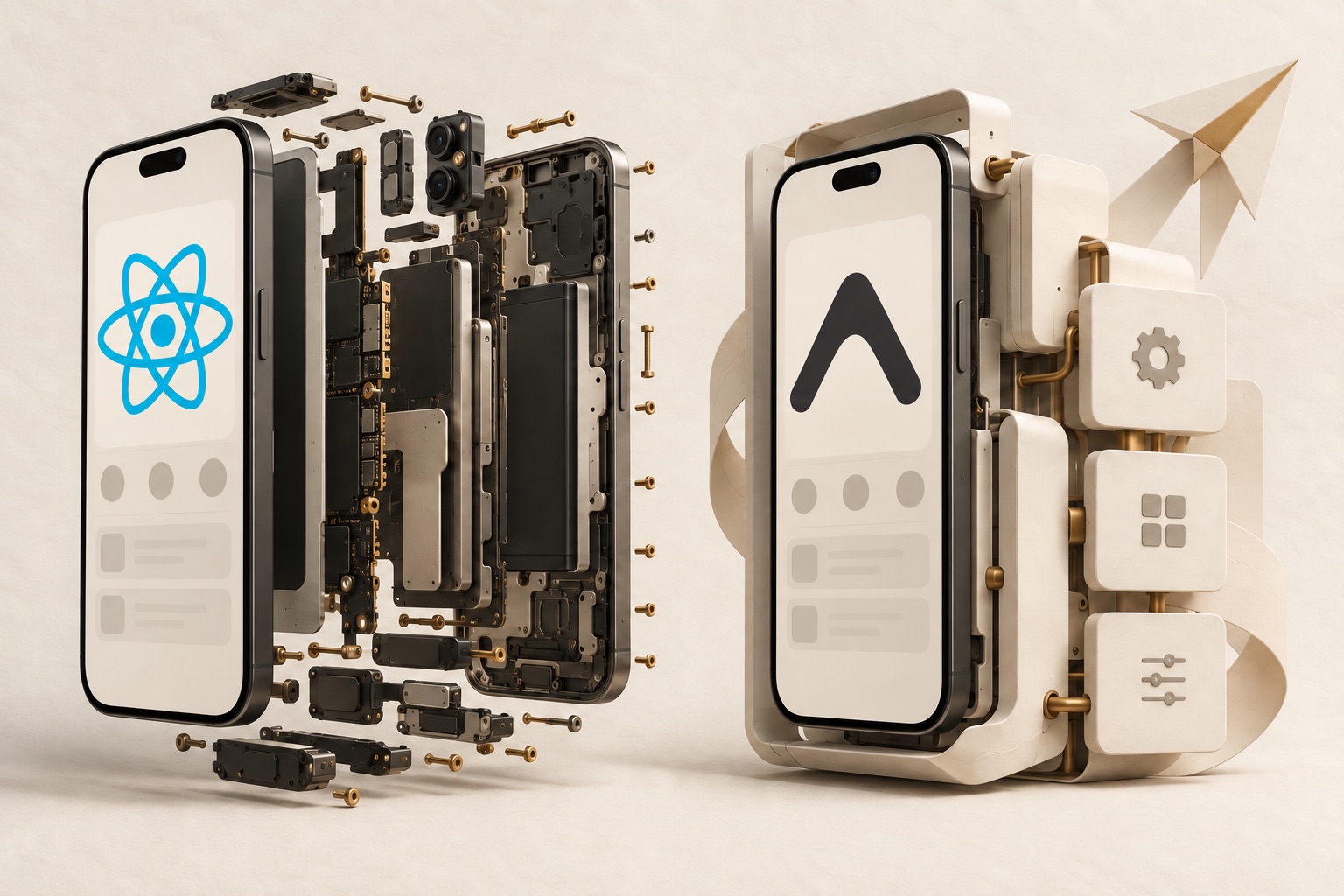
The demo works. Your team has a login screen, a product list, and a checkout flow. Then someone adds three requirements: a vendor's native payment SDK, separate staging and production apps, and a way to ship a small UI fix without waiting for another store release.
That is when “bare React Native or Expo?” becomes a useful engineering question. A quick comparison about which command creates a project is no longer enough. You need to know who owns native configuration, how a new library reaches a tester's phone, and what happens when the next upgrade breaks the build.
My starting recommendation for a new, conventional mobile app is Expo with a development build, then a deliberate choice about whether to generate or directly maintain the native projects. For an established app with substantial native customization, preserving the existing native projects and adopting useful Expo tools selectively may be the better move.
Those recommendations are judgments, not benchmark results. This article explains how to test them against your requirements. It covers terminology, practical setup, native integrations, release delivery, performance, cost, and migration. The examples are illustrative projects, not claims about a client app or a measured production rollout.
First, Expo is still React Native
React Native provides the foundation for building native interfaces with React. Expo adds a framework, libraries, developer tools, and optional hosted services around that foundation. Using Expo does not turn your iOS or Android application into a website wrapped in a WebView. React Native's own guidance recommends a framework such as Expo for new apps, while retaining a supported path without a framework. React Native framework guidance
In this article, bare React Native means a project where your team directly maintains the ios/ and android/ projects. Developers often use the term for apps created with the React Native Community CLI, but project creation does not permanently determine which tools the app can use.
An app can maintain its native projects, use Expo modules, build on EAS, and receive compatible JavaScript updates. Conversely, an Expo project can build locally instead of using Expo's hosted build service. Expo's FAQ describes this interoperability and distinguishes its open-source tools from optional EAS services. Expo FAQ
The most useful comparison therefore has three independent decisions:
- Native ownership: generate native projects from configuration, or maintain them directly?
- Development runtime: use a predefined playground app, or your own development binary?
- Delivery infrastructure: build and distribute through hosted services, your own CI, or a combination?
Choose each decision intentionally. Treating all three as one switch makes migrations sound harder and feature limitations sound broader than they actually are.
Understand the four names before choosing a workflow
| Name | What it is | What it does not decide |
|---|---|---|
| Expo Go | A prebuilt app for trying supported JavaScript and native APIs | Which custom native dependencies your production binary can contain |
| Development build | Your own app binary with development tooling, usually including expo-dev-client |
Whether the build must happen in the cloud |
| Prebuild / Continuous Native Generation | A way to generate native projects from app configuration, packages, and plugins | Whether your app can use custom native code |
| EAS | Hosted services for tasks such as building, submitting, and delivering updates | Whether you must stop maintaining native directories |
Expo Go is useful, but it is not your final integration test
Expo Go contains a predefined collection of native capabilities. JavaScript cannot load a native module that was never compiled into that binary. If a payment, Bluetooth, analytics, or identity library requires native code that Expo Go does not contain, you need a binary that includes it.
A development build supplies that binary for your project. After it is installed, you can iterate on JavaScript through the development server. When native dependencies or native configuration change, rebuild the binary. The official introduction explains why this is the appropriate development environment for real projects. Development builds
A practical rule: once the project has a real native integration requirement, validate it in a development build early. Waiting until release week to discover that a demonstration was running inside the wrong native environment creates avoidable work.
Prebuild is a generation step, not an escape hatch
Prebuild produces the Android and iOS projects. Continuous Native Generation, or CNG, is the broader practice of keeping the inputs to that generation as the source of truth.
In a CNG project, a permission, entitlement, or SDK setup change belongs in app configuration or a config plugin. Generated native folders can then be recreated from those inputs. In a directly maintained project, native files themselves are part of the maintained source. Continuous Native Generation
Both approaches have native projects during compilation. The difference is which files you review and preserve as the durable description of the application.
Compare responsibilities, not just features
| Area | Directly maintained native projects | Expo with CNG and development builds |
|---|---|---|
| Native configuration | Review and maintain platform files directly | Review app config and plugins, then inspect generated output |
| Custom native functionality | Integrate platform code and React Native bindings | Add compatible native libraries or modules, represent setup in generation inputs |
| Local development | Maintain platform toolchains and run your app | Use Expo CLI with your own development binary; local native builds still need toolchains |
| Cloud builds | Configure your CI or adopt EAS Build | Use EAS Build if helpful, or compile elsewhere |
| Upgrades | Reconcile native template and dependency changes | Upgrade compatible SDK packages and regenerate where appropriate |
| Debugging | Inspect JavaScript, native code, build settings, and dependency resolution | Inspect those layers plus configuration/plugin generation |
| Release updates | Select and operate an update solution if needed | Optionally adopt expo-updates and EAS Update |
| Team burden | More direct responsibility for platform setup | More dependence on correctly maintained configuration and plugins |
These columns are starting points. A bare app using EAS and Expo modules intentionally combines them. That combination can be a sensible architecture, particularly when a working native project is expensive to reproduce through generation.
The decision should answer a concrete question: which representation of the native app will your team maintain most reliably?
Walk through the same feature in both approaches
Imagine a delivery app that scans package labels. The requirements include camera permission, a scanner library, a custom application identifier, and a release build for testers.
With directly maintained native projects
Your team adds the selected scanner package, follows its platform installation instructions, and reviews the resulting native changes. That may involve Android manifest permissions, iOS usage descriptions, dependency installation, build settings, or vendor-specific setup.
The durable implementation includes whatever is needed in ios/ and android/. A reviewer can inspect those native diffs directly. The responsibility is equally direct: make sure another developer and a clean CI worker can build from the committed source.
Do not assume autolinking replaces every installation step. A dependency can be linked correctly while still missing a permission, entitlement, resource, or initialization requirement. The package's documentation and a release build are both part of the integration.
With CNG
Your team installs the scanner package and checks whether its native setup is represented by a supported config plugin. If it is, configure that plugin and generate the native projects. If it is not, determine whether the missing setup can be expressed in your own plugin or whether maintaining the native projects is more practical.
A config plugin modifies native configuration during generation. It does not implement the scanner's native behavior, and it does not make a missing binary dependency appear inside Expo Go. Config plugin introduction
After generation, build your development binary and test on a physical device. Then build a release candidate. Permission prompts, scanning, app lifecycle transitions, and packaging all need to work in the environment you intend to ship.
What actually changes?
The scanner still needs native code. The camera still needs permission. The store still receives an application binary. What changes is how you preserve the installation recipe.
Direct ownership preserves the native implementation and configuration in the platform projects. CNG preserves the configuration inputs and regeneration procedure. Neither approach removes the obligation to understand what the SDK requires.
Start an Expo app without treating Expo Go as the finish line
For a new project, follow the current Expo project setup guide. Templates and supported versions change, so pin the chosen versions in the actual repository rather than relying forever on a command containing latest.
A local development-build path looks like this:
npx create-expo-app@latest ParcelDemo
cd ParcelDemo
npx expo install expo-dev-client
npx expo run:android
For iOS on a Mac with the necessary native tooling:
npx expo run:iosAfter installing the development build, start the JavaScript development server when needed:
npx expo start --dev-clientThese commands belong in a new example app, not an existing repository you intend to preserve. Android local compilation needs its Android toolchain; local iOS compilation needs macOS and Xcode. Hosted builds move compilation to another machine, but do not eliminate signing, provisioning, or device testing.
The React Native path without a framework has its own documented setup:
npx @react-native-community/cli@latest init ParcelDemoFollow the generated project's commands and platform prerequisites rather than mixing setup instructions from unrelated template versions. React Native without a framework
The important milestone for either setup is the same: another developer can clone the repository, install locked dependencies, build the app, and run it. A successful creation command is only the first step.
Make native configuration reproducible
Here is a small CNG configuration example for a hypothetical package-label scanner. It defines identity, a URL scheme, and the iOS camera explanation. It does not install or implement a scanner library.
{
  "expo": {
    "name": "Parcel Demo",
    "slug": "parcel-demo",
    "scheme": "parceldemo",
    "ios": {
      "bundleIdentifier": "com.example.parceldemo",
      "infoPlist": {
        "NSCameraUsageDescription": "Scan package labels to find delivery details."
      }
    },
    "android": {
      "package": "com.example.parceldemo",
      "permissions": ["android.permission.CAMERA"]
    }
  }
}
Replace the example identifiers before distributing your own app. Permission text should describe the actual purpose. Install and configure the chosen camera or scanner package separately, including its documented plugin options. If that plugin also writes the same permission description, use a single authoritative configuration rather than leaving two competing values.
For a narrowly scoped custom iOS configuration, a local plugin might look like this. Save it as plugins/withCameraPurpose.cjs:
const { withInfoPlist } = require('expo/config-plugins');

module.exports = function withCameraPurpose(config, options = {}) {
  const message = options.message;
  if (typeof message !== 'string' || !message.trim()) {
    throw new Error('withCameraPurpose requires a nonempty message');
  }
  return withInfoPlist(config, configWithMod => {
    configWithMod.modResults.NSCameraUsageDescription = message;
    return configWithMod;
  });
};
Register it in the expo object's plugins array, replacing the direct iOS permission value from the earlier example:
{
  "plugins": [
    [
      "./plugins/withCameraPurpose.cjs",
      { "message": "Scan package labels to find delivery details." }
    ]
  ]
}
This small example assigns a deterministic value rather than repeatedly appending text. It changes one native setting and leaves the scanner implementation to its dependency. Most ordinary permission configuration does not need a custom plugin; the example shows the boundary between configuration code and runtime native code.
Before using npx expo prebuild --clean, commit or safely preserve your work. The command recreates native directories. In an existing project with manual native edits, first determine how those edits will survive generation. Reproducibility means more than successfully regenerating folders: verify the generated permissions, identifiers, build settings, and release behavior match the intended app.
Custom native code is a compatibility investigation
Expo supports custom native code, including local modules. A development build is required to include that code. Expo's native customization guide describes the supported paths; choosing Expo does not mean promising never to open Swift or Kotlin. Custom native code
For a required vendor SDK, investigate these questions before committing to a workflow:
- Does the SDK support the React Native version and architecture you plan to ship?
- Is the binding maintained, or will your team own it?
- Are iOS and Android capabilities equivalent for your required feature?
- Does setup require resources, app delegates, build phases, extensions, or custom Gradle logic?
- Can that setup be reproduced through app config and plugins?
- Does a signed release build work on real devices, including denied permissions and background transitions?
A library compiling successfully is necessary but insufficient. For example, a scanner can render its camera view and still fail after returning from the background. A payment SDK can initialize and still require a separate redirect or entitlement configuration. Investigate the full user flow.
If representing a complex native integration as a plugin becomes harder to understand than maintaining the platform files, direct native ownership may be the better choice. That does not require discarding every Expo library or service already helping the project.
Separate building, submitting, and updating
A build produces a binary. Submission uploads a binary to a store or distribution system. An over-the-air update delivers compatible non-native content to a binary that already supports the update mechanism.
EAS Build is a hosted build service for Expo and React Native projects, including projects that retain native directories. It can help automate building and signing, but adopting it does not imply adopting CNG. EAS Build
You can also compile Expo projects locally or on your own CI. The eas build --local path attempts to run an EAS-style build on your machine and has its own limitations; it is distinct from ordinary npx expo run:ios or run:android development commands. Local EAS builds
A release pipeline should have explicit stages regardless of provider:
Locked source and dependencies
  → verify application code
  → prepare or validate native projects
  → compile and sign release binary
  → install and test release candidate
  → submit to the intended distribution destination
  → monitor the released build
For the delivery-app example, test scanning and sign-in on the release candidate, not only in the development client. The development environment includes tooling and connection behavior that users will not have.
Keep production credentials and signing material out of source control. A hosted service can assist with credential management, but the team still needs ownership, recovery procedures, and a clear record of which account controls the store listing.
OTA updates stop at the native boundary
EAS Update delivers non-native pieces such as JavaScript and assets to apps with expo-updates installed and configured. Installing the update library initially requires a new binary. This capability is also available to an existing React Native app that adopts the library. EAS Update overview
The important boundary is native runtime compatibility. A JavaScript update that calls a new native module cannot safely run in an older binary that lacks that module. Runtime versions identify compatible native environments, and Expo offers policies such as fingerprinting to help manage them. Runtime versions
For the parcel app, classify changes before release:
| Change | Likely delivery path | What to verify |
|---|---|---|
| Fix a label alignment using existing components | Compatible JS update may be suitable | Target runtime, layout regression, rollback |
| Change an API request using existing dependencies | Compatible JS update may be suitable | Server compatibility and error handling |
| Add a new native scanner library | New binary | Dependency, permissions, signing, device behavior |
| Change a native permission or entitlement | New binary | Generated or maintained native configuration |
| Upgrade a dependency that changes native code | New binary | Runtime compatibility and native regression checks |
These are engineering classifications, not permission to bypass store requirements. Check current platform policies for the intended update. An update service does not remove your responsibility for what the app delivers.
A release plan should also answer: which installed builds receive this update, how will you detect a failure, and how will you return to a known-good version? “We can push JavaScript instantly” is not a rollback strategy. Record the binary version, runtime identifier, update destination, and verification result together.
Upgrades move work rather than erase it
In a directly maintained project, an upgrade may require reconciling changes to platform templates, build tooling, pods, Gradle configuration, and third-party native dependencies. The native diff is visible and under your control, but someone must understand it.
Expo SDK versions coordinate a supported set of dependencies. Its upgrade guide recommends updating the SDK, aligning dependencies, running diagnostic checks, and following version-specific instructions. Regeneration can reduce manual template reconciliation in CNG projects, but custom plugins and native modules still need verification. Expo upgrade guide
For either workflow, use an upgrade branch and separate three questions:
- Does the project install and compile from a clean environment?
- Do required native integrations still behave correctly?
- Does the release and update pipeline still target the right application and runtime?
A package installation passing only answers part of the first question. Test authentication redirects, permissions, notifications, purchases, links, and background behavior according to the application's actual features.
Do not combine a workflow migration, a major React Native upgrade, a navigation rewrite, and a new payment SDK unless there is a strong reason. Keeping those changes separate makes failures easier to locate and rollback easier to perform.
Performance and app size need measurements
Neither project label tells you whether a list will stutter. The shipped dependencies, rendered views, images, startup work, native integrations, and build mode determine the workload you need to inspect.
Compare release builds on representative devices using the same data and interaction. For startup, define the endpoint of the measurement: first frame, interactive home screen, or authenticated content. For a scanner, measure opening the camera, recognizing a label, and returning to the flow. For a list, separate row rendering from network latency and image work; the FlatList performance guide walks through that investigation.
Do not compare Expo Go with a stripped production binary and present the difference as an Expo-versus-bare benchmark. They contain different tooling and capabilities. Likewise, a development client is not the release app your users install.
App-size comparisons need the same discipline. Measure the artifact that matters to the user or distribution channel, on the same platform, with equivalent features and build settings. If one app includes an analytics SDK and the other does not, you have measured a dependency difference as well as a workflow difference.
Native control can make some optimizations easier to express directly. Generation can make some configuration easier to repeat consistently. Neither observation proves a universal speed or size advantage. Keep a benchmark claim narrower than the evidence supporting it.
Compare cost with a release budget
Expo's libraries and developer tooling are open source; hosted EAS services have plans, quotas, and usage rules. Check the current service terms instead of treating “Expo is free” as a complete infrastructure budget. EAS plans and usage
A useful cost model includes more than a monthly subscription:
Monthly delivery cost
  = hosted build and update usage
  + owned CI runners and storage
  + signing and release maintenance time
  + failed-build investigation time
  + platform account and distribution costs
Do not assign invented dollar values to those terms. Estimate them from your team's actual build frequency and rates. Include development-client rebuilds when native integrations are changing frequently, release candidates, multiple environments, and update traffic if you use an update service.
A small team may prefer paying for a service that reduces release maintenance. A team with established native CI may prefer keeping compilation there. A restricted environment may require another arrangement altogether. The budget should reflect those constraints, not a general claim that one workflow is always cheaper.
Service dependence is also a design decision. Keep app identifiers, signing ownership, source, and release procedures documented. If you rely on hosted updates, plan for service interruption and understand how the application behaves without a fresh update. An alternative build path is valuable only if somebody has actually exercised it.
Choose through three realistic project scenarios
A new commerce app with common native integrations
The team needs authentication, product browsing, notifications, deep links, and payments through maintained dependencies. There is no existing native project to preserve.
I would start with an Expo development build and evaluate CNG. The first technical spike should integrate the payment and authentication requirements in a signed release candidate. If those integrations work and their configuration is reproducible, the team has tested the highest-risk assumption before investing in the rest of the UI.
The reason to choose this path is the work it can standardize. “Expo is easier” is too vague; a clearer claim is that the chosen libraries, configuration, and release tools fit this app's requirements and the team's maintenance capacity.
A device app with unusual native requirements
The app must use a vendor SDK, perform specialized background work, and integrate platform-specific features. A demonstration of the home screen says little about those requirements.
Build the smallest native integration first. Try the necessary plugin or local module approach if it is plausible, and inspect the generated output. If setup requires extensive platform-specific changes that the team can maintain more clearly in native files, keep those files as source.
Do not reject Expo merely because Swift or Kotlin appears in the requirements. Also do not force generation to prove a philosophical point. Let the working integration and maintenance procedure decide.
An existing app with years of native changes
The app already has a stable release pipeline, extensions, custom build variants, and several native integrations. The team mainly wants one Expo module or a better build-distribution experience.
Start with selective adoption. Expo documents installing modules in existing React Native projects; that is a different operation from deciding to regenerate their native directories. Install Expo modules
Preserve the existing projects and test the added capability. Consider CNG later if you can account for the current native changes and see a clear maintenance benefit. A full migration that reproduces everything but improves no actual workflow is difficult to justify.
Plan a migration as a sequence of reversible changes
Before migrating, inventory the native application rather than only its package.json. Record targets, extensions, permissions, signing, schemes, build variants, linked SDKs, native source files, and CI-specific steps.
For selective Expo adoption, introduce the smallest required tool or module in a branch, follow its installation instructions, and rebuild both platforms. For CNG adoption, first map each maintained native change to a configuration input, plugin, local module, or explicit reason to retain direct ownership.
Use a migration ledger:
| Existing requirement | Where it lives today | Intended owner after migration | Verification |
|---|---|---|---|
| Camera purpose text | iOS property list | App config or one plugin | Fresh install permission prompt |
| Authentication URL scheme | Platform configuration | App config plus provider configuration | Redirect after sign-in |
| Vendor native module | Native source and binding | Local module or retained native source | Signed device flow |
| App extension | Separate native target | Explicit supported generation strategy or retained project | Archive and extension behavior |
| Staging app identity | Build configuration | Environment-specific config or retained variants | Side-by-side install |
Treat each row as work to prove. Do not write “handled by Expo” without specifying how the requirement reaches the binary.
When moving away from generation, preserve the generated native projects and establish direct maintenance. Update ignores, CI behavior, and contributor instructions accordingly. Native configuration that used to be generated must now have a clear owner. Avoid repeatedly regenerating maintained folders unless the team has deliberately kept that process safe.
The final migration test is a clean build performed by someone other than the person who changed the workflow, followed by the critical device flows and a release rehearsal. That is stronger evidence than a successful build on a machine with months of cached configuration.
Write the decision down before the team forgets why
A short architecture decision record can keep the choice grounded:
Decision: Expo development builds with CNG for the new Parcel app

Required native integrations:
- Package scanner and camera permission
- Authentication redirect
- Push notification registration

Evidence required before final acceptance:
- Both platforms build from a clean checkout
- Scanner and redirect work in signed release candidates
- Native configuration survives regeneration
- Staging and production identities remain separate

Source of truth:
- App configuration, dependency lockfile, and reviewed plugins
- Custom runtime code in maintained modules
- Generated platform directories are not manually patched

Delivery:
- Document chosen build provider, signing owner, and release stages
- OTA changes require runtime compatibility and regression checks

Revisit when:
- Required native setup becomes difficult to reproduce
- A dependency loses support for the selected platform/runtime
- Delivery cost or organizational requirements change
Adapt the record to the actual choice. For directly maintained projects, name native files as the source of truth and specify how template upgrades are reviewed. If you use EAS without CNG, write that combination explicitly so a future contributor does not assume native folders are disposable.
For a new app, my default remains Expo with a development build because it is a practical place to test ordinary requirements. For a heavily customized existing app, I would preserve working native ownership and adopt individual tools where they help. The deciding evidence is the same in both cases: a reproducible build, working native integrations, a maintainable upgrade path, and a release process the team understands.
End of note
← Back to articles